
Client Waiting Lists
Reduce waiting times. Prioritise referrals. Allocate with confidence.
Rhadar's Waiting List management helps you manage demand effectively, prioritise urgent cases and allocate clients to the right therapist at the right time — all with real-time visibility. As well as a generic Waiting List, Service Users referring clients are displayed in a seperate waiting list and users sel-registering thorugh the Rhadar plugin on your website will be stored in a serperate wiating list. This keeps your admin simple as your staff know exactly where to locate wiating clients.
Key benefits
-
Automatic prioritisation Sort referrals by urgency, need and criteria.
-
Service User Waiting List Have external organisations/schools automatically and securely refer clients straight into Rhadar
-
Self-Registration Waiting List Integrate a simple plugin into your website and have your potential clients self-register straight onto a secure and seperate waiting list, ready ffor your admins to check and approve.
-
Automatic Client Activation Once a Therapist is assigned to the client in a waiting list, they are automatically onboarded and are moved from the waiting list to the active clients.
-
Self registration Allow clients to join the list online securely.
-
Referral tracking Track progress from referral to first contact.
-
Real-time visibility See waiting times and list volumes instantly.
-
Reduced waiting times Improve client experience and outcomes.
-
Data & insight Report on demand, performance and outcomes.
How it works
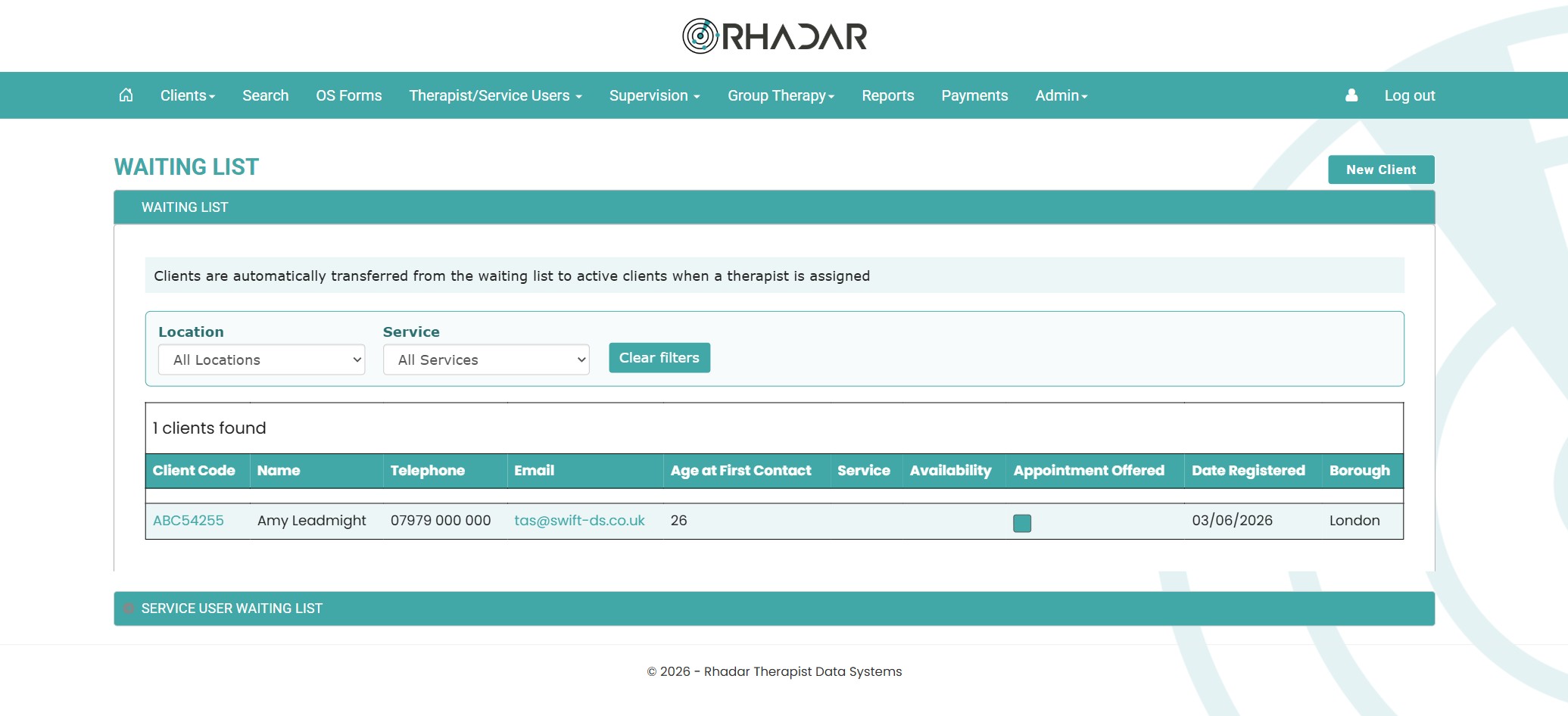
The Waiting List dashboard for the main waiting list and the Service User waiting list
The waiting list dashboard gives you a clear view of demand and helps your team take action quickly. Admins can see status, priority and next actions at a glance across every client on the lists. Service Users such as external organisations and/or schools, can have their own role-bsed Rhadar login that will give them the ability to add clients to a seperate Service User Waiting List. Admins can then review and onboard them.
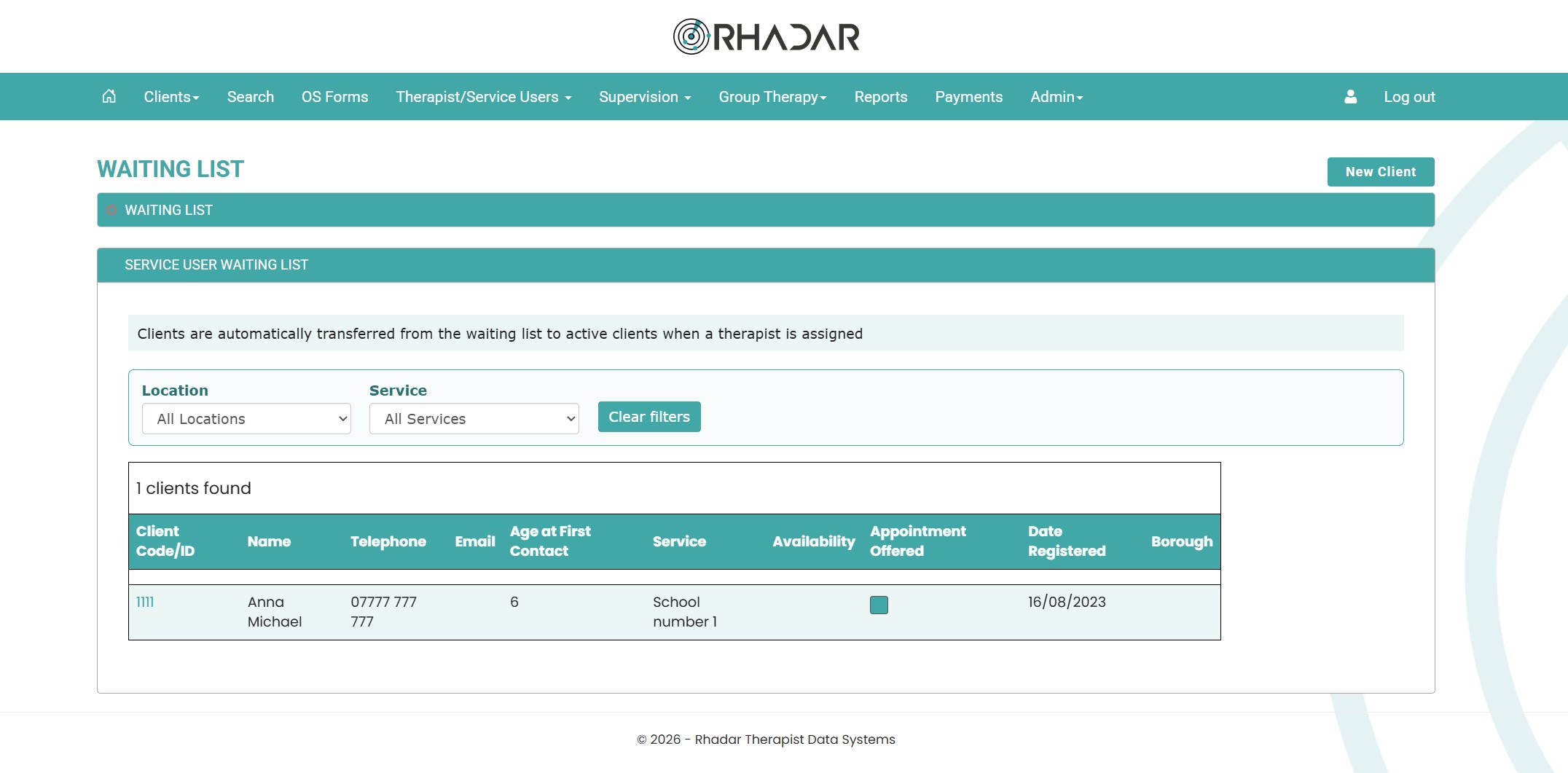
Service User Waiting List
If you work with external organisations, for example Schools, a Service User account can be created where they are given the ability to add clients to your Rhadar System. These clients sit in the Service User Waiting List and are dealt with in the same way as the regular Waiting List. Once a therapist is assigned to the client they are automatically onboarded and become an active client.
Client Self-Registration Waiting List
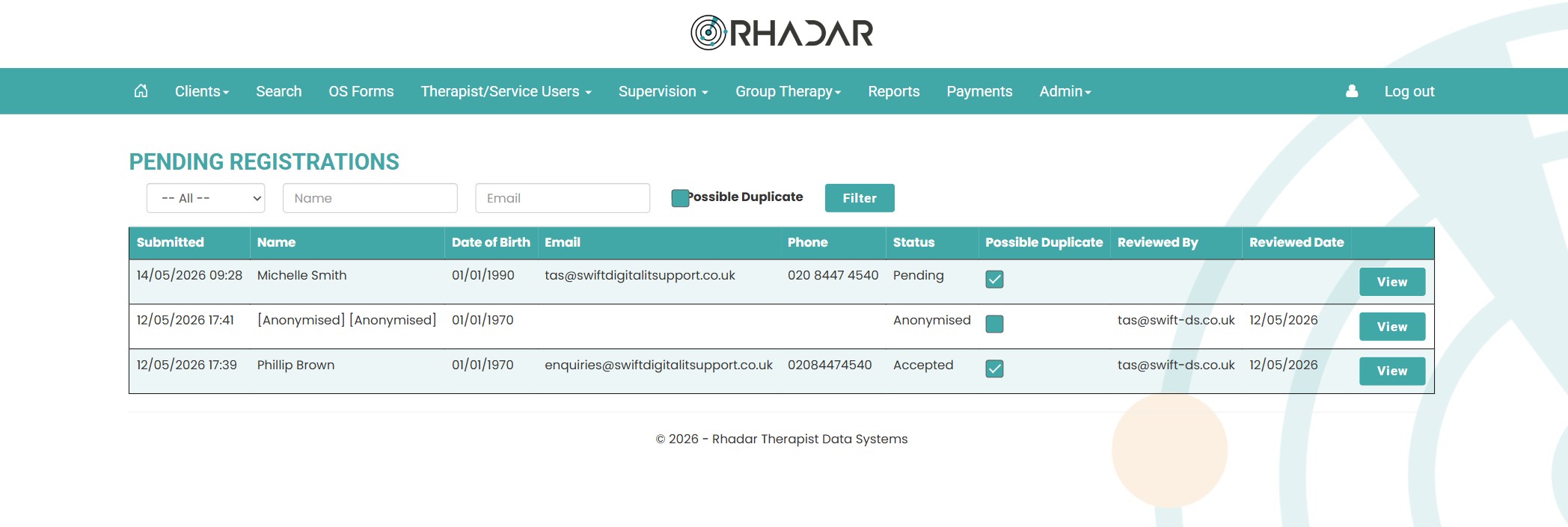
Using the Rhadar Settings screen a small piece of code can be generated and added to your website. From there a form will load up enabling potential clients to self-register. Once submitted their information will be securely held within Rhadar on a seperate Registrations Waiting List. Here Admins can review, approve or deny the requests.
Frequently asked questions
How are clients added to the waiting list?
Clients are added to the waiting list in one of three ways; 1) Admin/Therapist users add a new client. If no therapist is assigned the client automatically appears in the Waiting List. 2) Service Users (external organisations that you work with) are able, through their login, to create a client. These clients appear automatically within the Service User Waiting List. 3) Through our website plugin. Clients can register via your website. These registrations appear automatically on the Pending Registrations Waiting List.
Can we prioritise clients?
Yes. You can triage and prioritise clients based on the criteria your service uses, so the highest-need clients are seen first.
Can we report on waiting times?
Yes. Rhadar produces waiting list reports covering wait times, throughput and demand — ideal for boards and commissioners.
Can we amend client details and complete initial assessments whilst the client is still in the Waiting List?
Absolutely. Your admin users can view and amend all the client details including completing the Rhadar Assessment questionnaires
What is the process of making a client live?
Simply assign a Therpiast and the client will automatically be removed from the waiting list and will be part of the Clients menu
What if a client is made live but then has to go back onto the waiting list
Not a problem, simply remove the assigned therapist and they will be put back on to the waiting list.
One platform.
Every workflow.
Better outcomes.
Rhadar brings together everything your organisation needs to deliver exceptional care and measurable impact.
 250,000+Client sessions managed
 40+Clinical reports
 99.99%Platform availability
 20+Years' experience