Client Safeguarding
Rhadar's safeguarding tools let you record, escalate and track safeguarding concerns against each client, with controlled visibility and a full audit history. Managers can report on open cases at any time — giving your service clear evidence of safe practice.
Key benefits
-
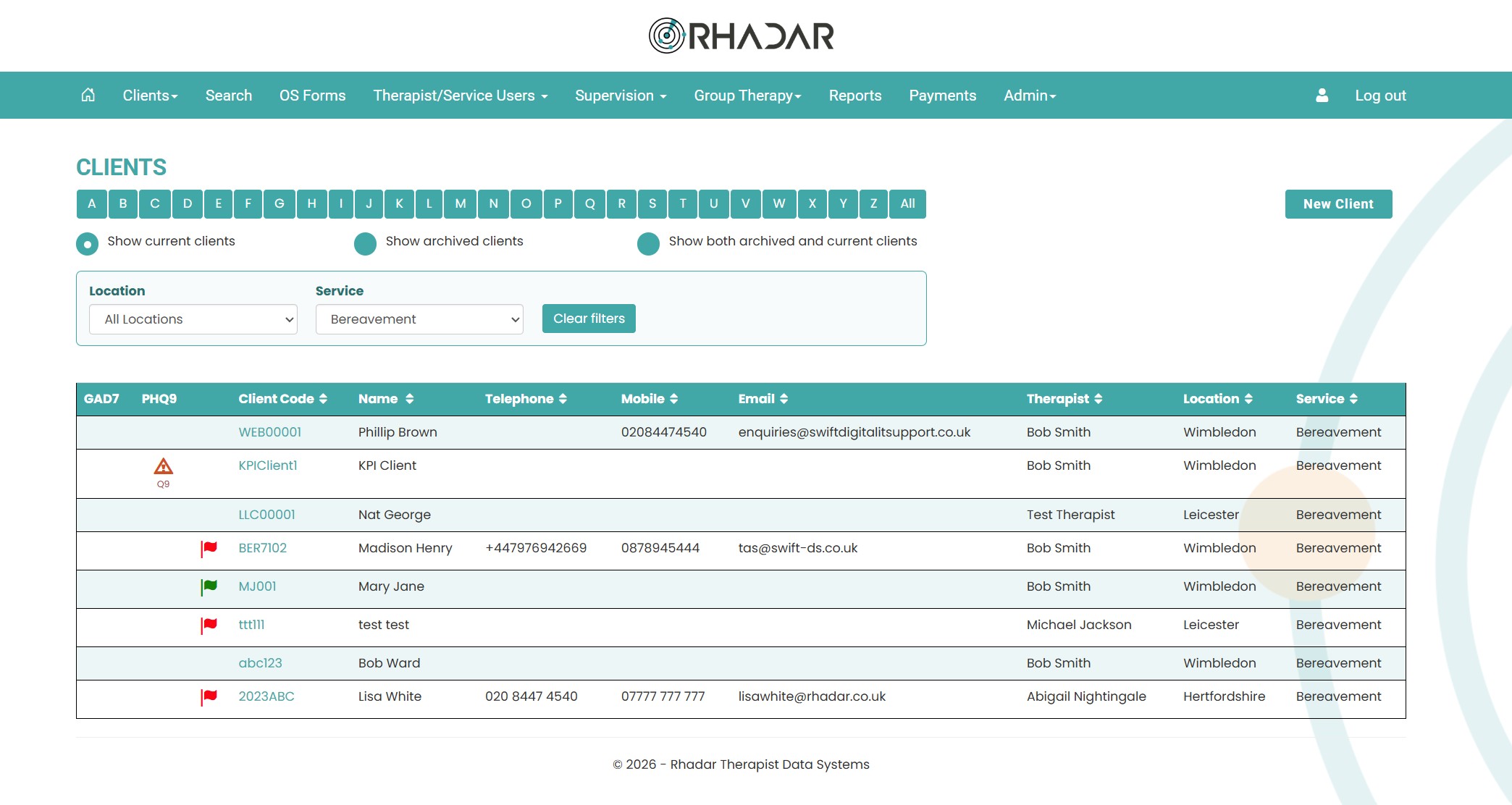
Safeguarding flags directly on the client record. Safeguarding is show via a red flag icon for open safeguarding or green flag icon for closed safeguarding
-
Controlled visibility to the right staff only. Admin users are able to see all clients and safeguarding statuses as is the assigned therapist
-
Full history of every action taken on a concern. Using sessions with a status of safeguarding, everything is recorded and can be reported on
-
Reporting on open and closed safeguarding cases. Several reports offering open and closed statuses and safeguarding notes
How it works
Instantly visible safeguarding status
From the main clients screen, a red flag will appear next to the client for an open safeguarding status and a green flag for closed safeguarding status.
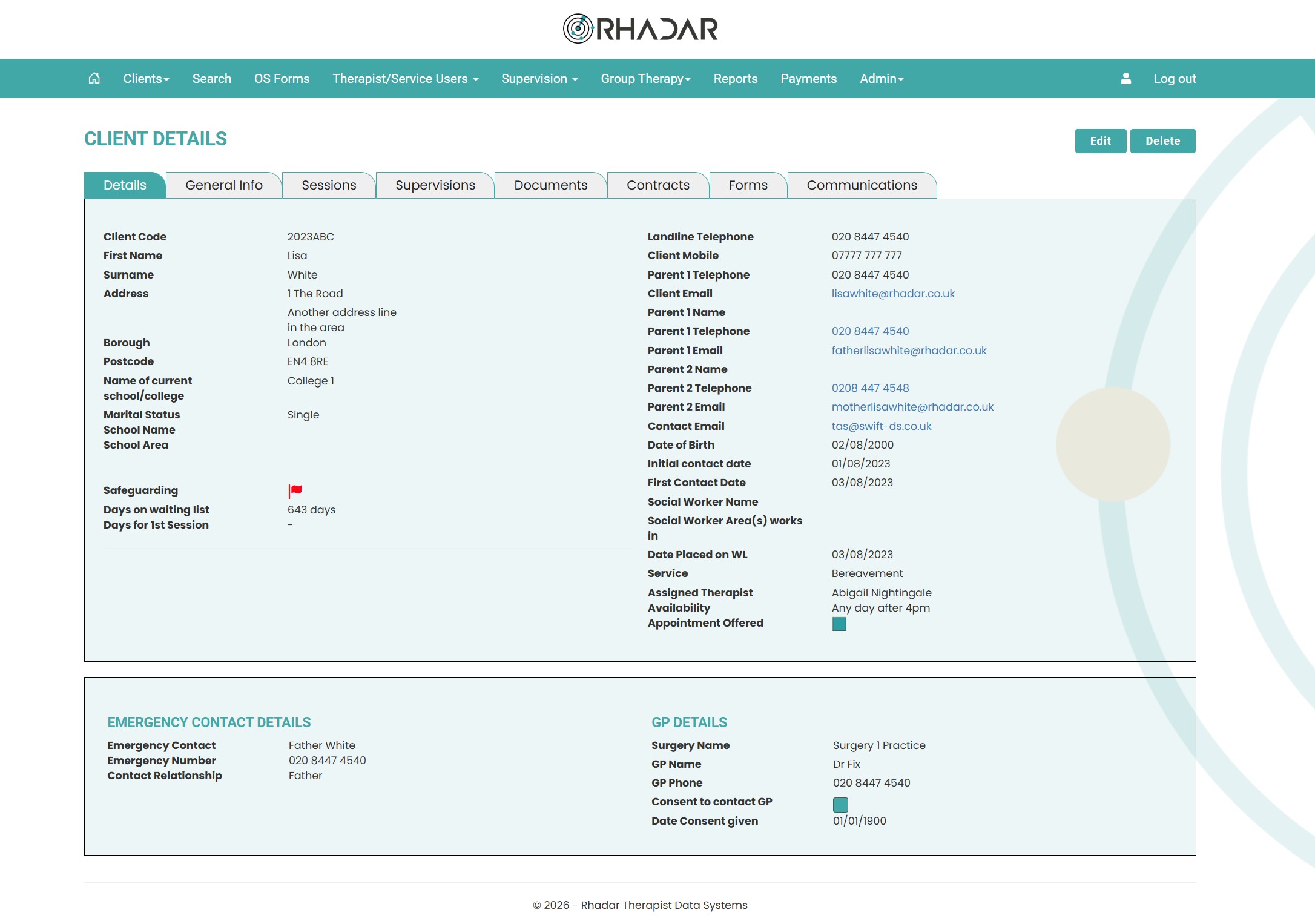
Safeguarding flag on client details
On every client with a safeguarding status, the main client details screen will show a red flag for open safeguarding or a green flag for closed safeguarding. Safeguarding can be totally removed by selecting a Cleared status
Frequently asked questions
Who can see safeguarding flags?
Only the assigned Therapist and the admin users.
Can we report on open safeguarding cases?
Yes. Admin roles can report on open, closed and safeguarding notes using the Rhadar Reporting system.
The flags are good but can I add notes on the safeguarding case?
Absolutely, simply go to sessions and select Safeguarding as the attendance type. Then add in whatever notes you need. From there Rhadar will not include the safeguarding notes within the standard attendance figures and will then report on the safeguarding notes using the reporting suite.
What about when Safeguarding is complete?
If you no longer want the status of Closed, simply edit the client record and select Cleared on the Safeguarding option. From there, there will be no further flags displayed.
One platform.
Every workflow.
Better outcomes.
Rhadar brings together everything your organisation needs to deliver exceptional care and measurable impact.
 250,000+Client sessions managed
 40+Clinical reports
 99.99%Platform availability
 20+Years' experience