
Advanced Search
Rhadar's advanced search cuts through your data in seconds. Find any clientwith rich filters that respect your permissions and audit rules.
Key benefits
-
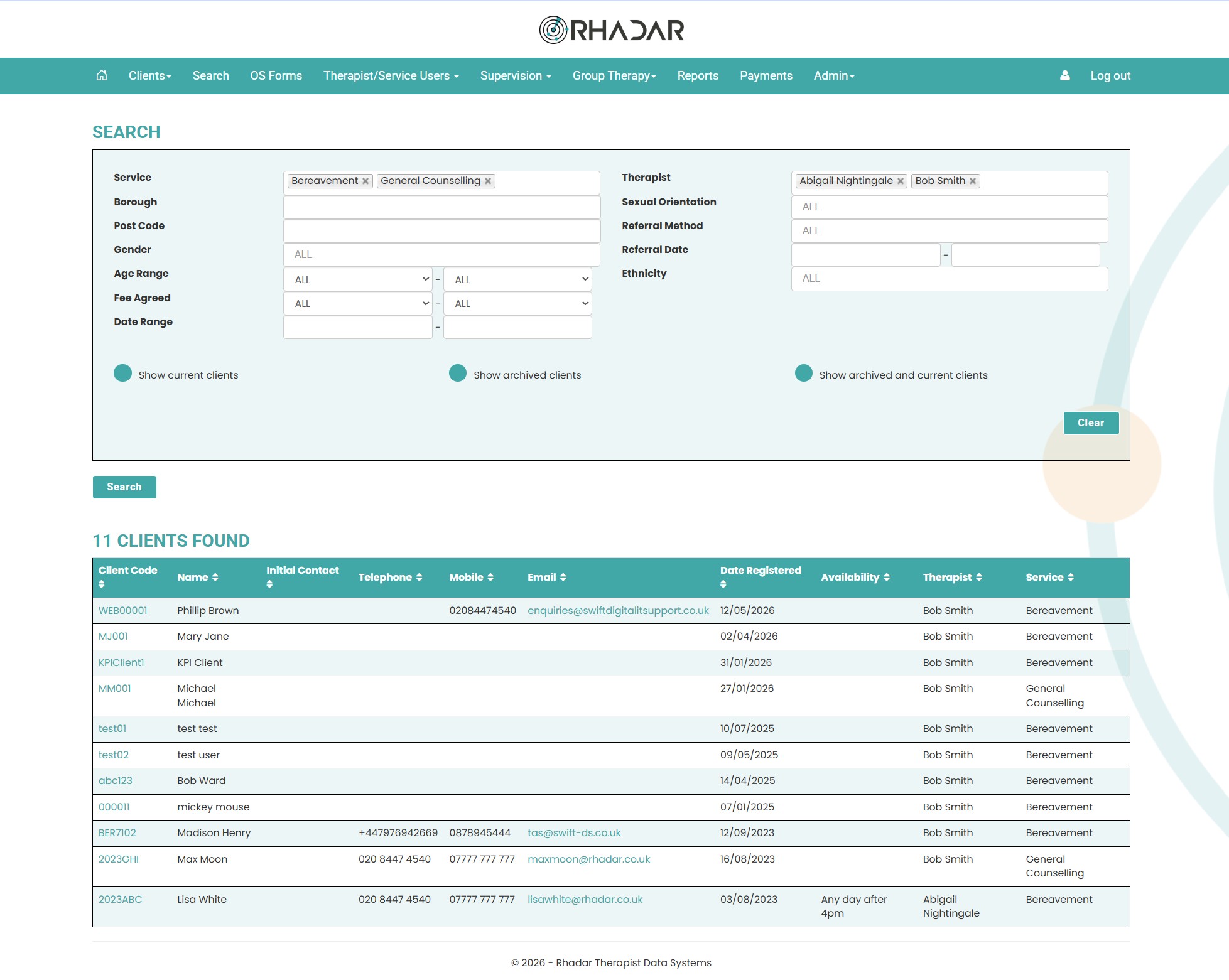
Search clients in one place. Use the advanced filters to easily find a client, or a selection of clients
-
Rich filters to narrow results Narrow results by service type, location, dates, therapist and more.
-
Search active clients, archived clients or both By selecting the radio button, show active clients, archived or both
-
Add multiple filters Add multiple search filters to certain fields like service, referral method, therapist
How it works
Flexibility for searching for clients
Whether you are looking for active clients, archived clients or both, use the multiway filters to narrow down your search results
Frequently asked questions
What can we search across?
You can search using a number of filters including service type, therapist, Borough, Gender, Age range, date range, referral method and more.
Does search respect permissions?
Yes. You only see results you're allowed to see.
What about if I want to search through the archived clients only?
Simple, just select Show Archived Clients and press on Search, you will only see the archived clients.
What if I want to seach for clients of three therapists?
Easy, simply select your first therapist, then click back onto the therapist box where the remaining therapists will appear in the dropdown box, now select the second therapist and go back in tor the third.
One platform.
Every workflow.
Better outcomes.
Rhadar brings together everything your organisation needs to deliver exceptional care and measurable impact.
 250,000+Client sessions managed
 40+Clinical reports
 99.99%Platform availability
 20+Years' experience