
Client Archiving
When a client's episode of care ends, Rhadar lets you archive their record cleanly. Archived clients no longer appear in day-to-day lists but their history remains available for audit, reporting and outcome analysis. Similarly if a client returns for more care, they can be unarchived and their previous records will be retained.
Key benefits
-
Archive closed client records in a single click. retain the information and move the client to an archived section
-
Continue to report on outcomes for archived clients. All reports have the option to report on archived clients
-
Cleaner active caseloads for therapists and managers. Workspace is kept clean and clients kept serparate depending on status
How it works
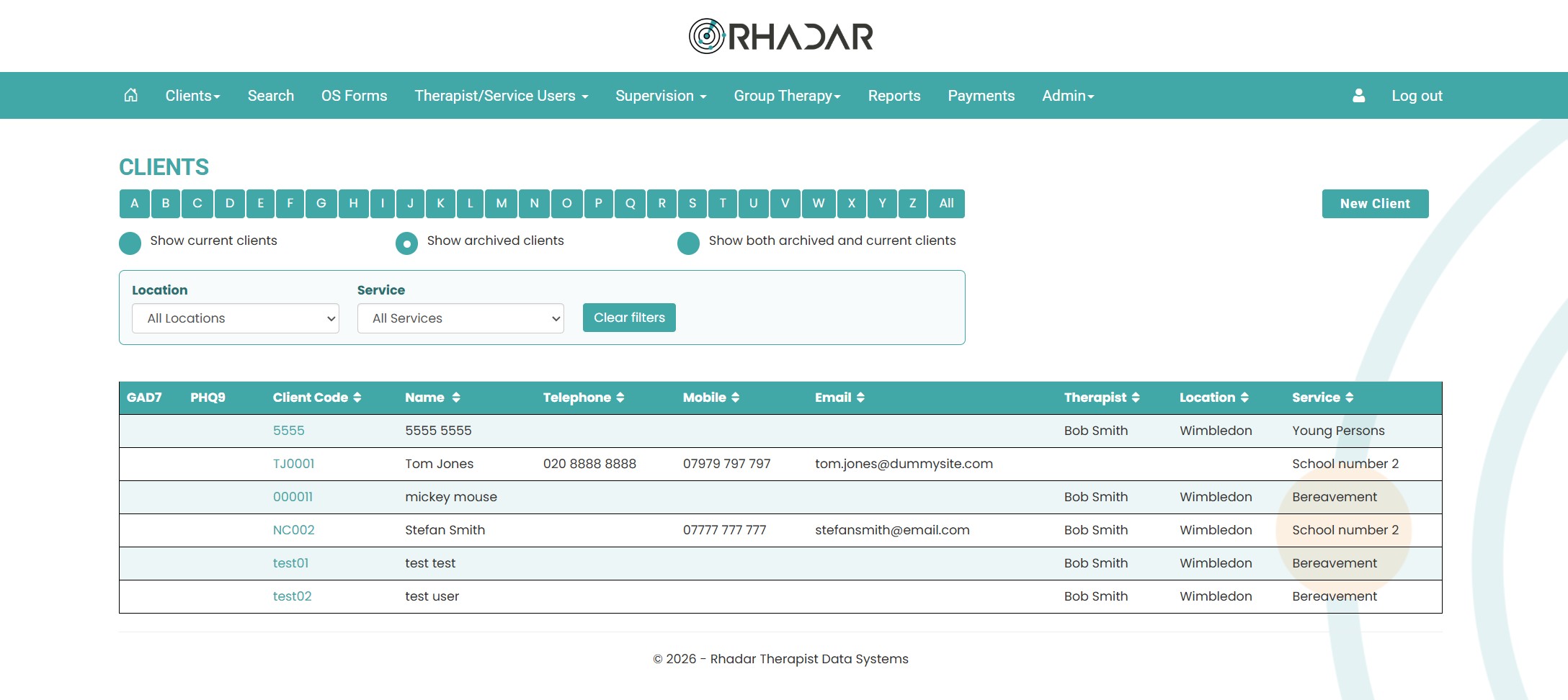
Select from active, archived or all clients easily
On the clients screen simply select whether you want to see active, archived or all clients
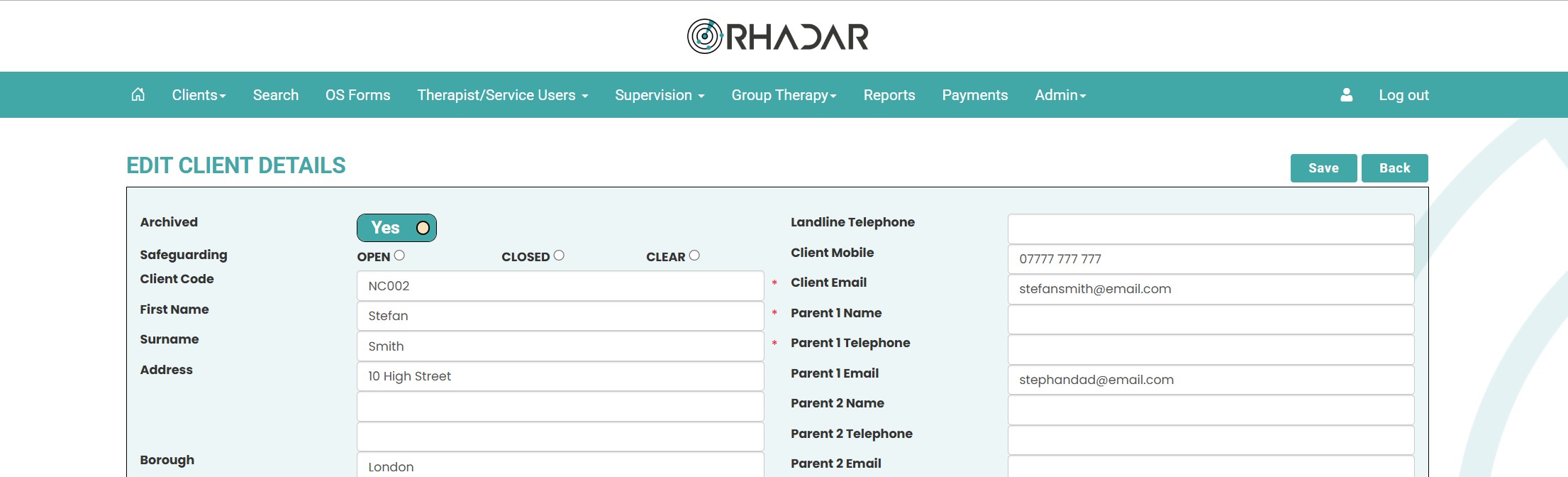
Archive and Unarchive clients easily
Simply edit the client record and flick the toggle between archived yes and no. Instantly the client will move to the relevant stack
Frequently asked questions
Can archived clients be restored?
Yes, simply go to the clients page, select archived clients and then select the archived client. From there, edit the client and move the archived toggle to no.
Are archived clients included in reporting?
Yes, so historical outcomes and activity continue to be reportable, all reports have the option for active, archived or all clients.
One platform.
Every workflow.
Better outcomes.
Rhadar brings together everything your organisation needs to deliver exceptional care and measurable impact.
 250,000+Client sessions managed
 40+Clinical reports
 99.99%Platform availability
 20+Years' experience