Exporting Reports
Every report in Rhadar can be exported to CSV, Excel or PDF in a single click, ready to drop into board packs, funder returns or commissioner reviews.
Key benefits
-
One-click export to CSV, Excel or PDF. Simply run the report you want and select Export ot Excel or Export to PDF
-
Consistent, board-ready formatting. Reports are formatted as you see them for ease of viewing and printing
-
No re-keying data between systems. All your data is held within Rhadar, reported on within Rhadar and exported to Excel and Pdf
-
Suitable for funder and commissioner returns. There are a number of funder and commissioner based reports built in to Rhadar
How it works
Easily export your reports
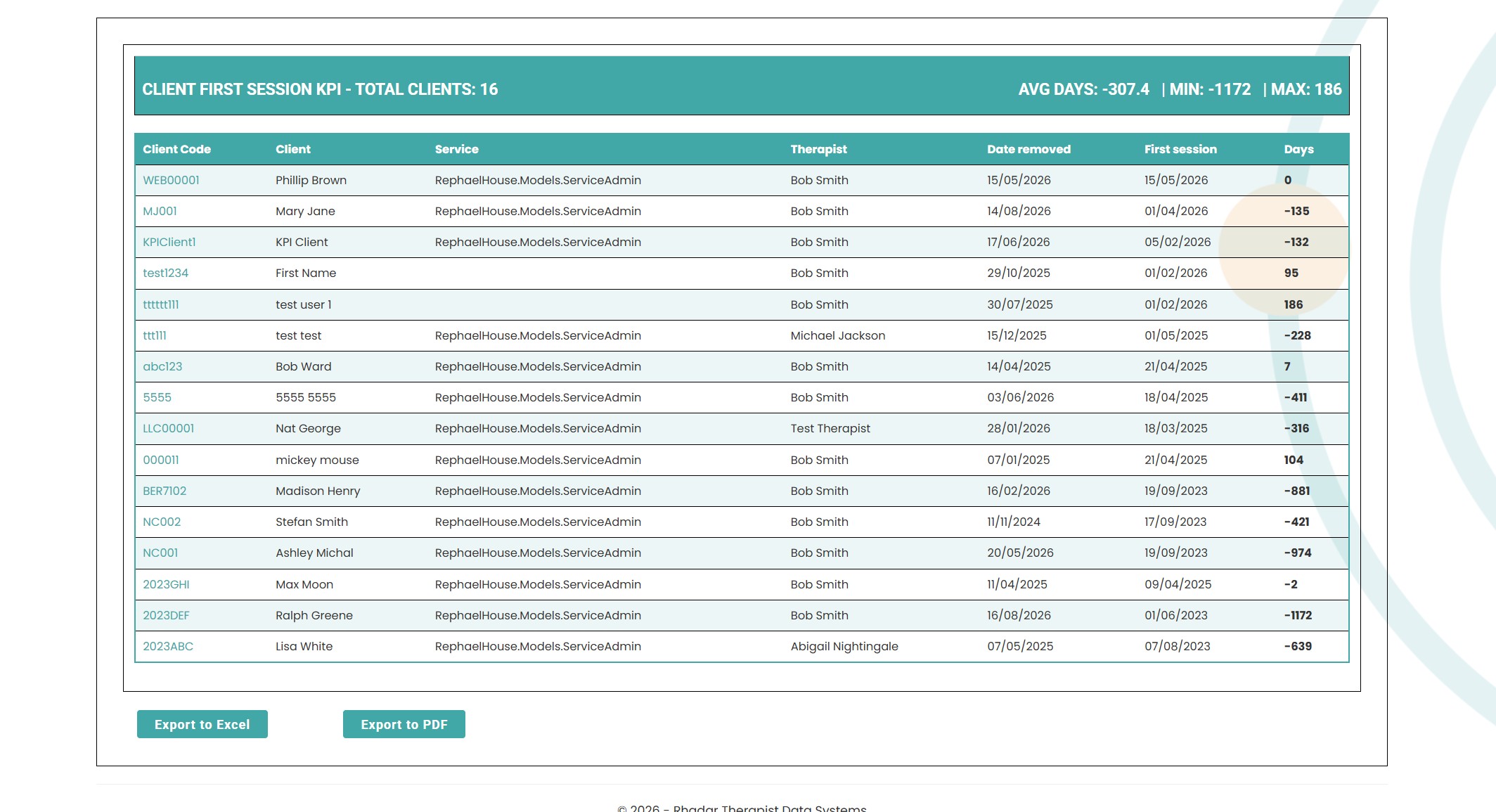
Simply select any filters you may want on the report, run the report and then at the bottom select Export to Excel or Export to PDF. Don't worry, if there are graphs within any reports they will also be exported to Excel and Pdf.
Frequently asked questions
Can we schedule exports?
Reports don't need to be scheduled as they are produced instantly. You can however select the date ranges if you only want a report for the current month or indeed any previousl months.
Are exported PDFs branded?
Currently no however the next release of Rhadar will have this feature built in
Is the data anonymised for funders?
Reports can be produced at the aggregate level appropriate for the audience. Exporting to Excel is a perfect way to remove identifying information if required.
Can I edit the data once exported
On Excel absolutely. The reports are exported into columns and rows allowing you to add formulas, filters and amend the data as you required
One platform.
Every workflow.
Better outcomes.
Rhadar brings together everything your organisation needs to deliver exceptional care and measurable impact.
 250,000+Client sessions managed
 40+Clinical reports
 99.99%Platform availability
 20+Years' experience