Location Management
Add, edit and configure the locations your team works from.
Key benefits
-
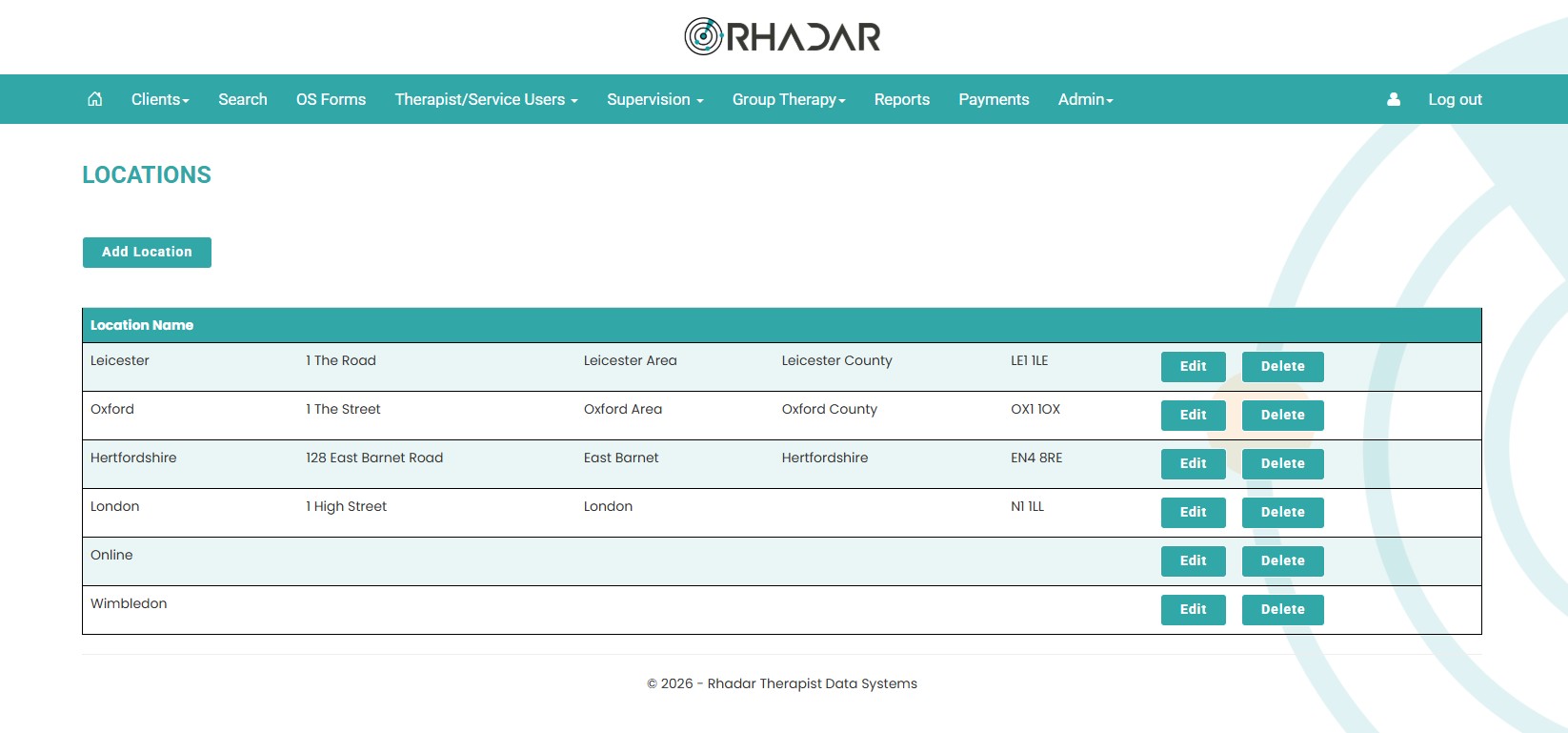
Add and configure every location your service works from. Quickly and easily manage your working locations. These can be geographical or departmental
-
Easily view Location-specific clients and therapists. Client lists also show the location as well as a location filter on the reports
-
Filter Clients by location. Use the location filter to only show clients in certain locations
How it works
Location Management
Easily manage your locations. You can use georgraphical locations, for example, London, Birmingham, Machester, or you can use as schools, for example school 1, school 2, or you can use in a departmental context, for example sales, technical, warehouse
Frequently asked questions
Can we add new locations later?
Yes, at any time, simply go to the admin settings and add your new locations
Do rooms belong to locations?
No. Room booking is not location-aware yet.
Can we report per location?
Yes. Reports can be filtered by location.
One platform.
Every workflow.
Better outcomes.
Rhadar brings together everything your organisation needs to deliver exceptional care and measurable impact.
 250,000+Client sessions managed
 40+Clinical reports
 99.99%Platform availability
 20+Years' experience